
ClickFix malware is no longer just a weird fake CAPTCHA trick hiding on sketchy corners of the web. It has grown into a sharper, more organized delivery system where malicious commands can be served through API-driven infrastructure, making each victim see a slightly different version of the same trap. The scam still leans on a simple human move: convincing someone to copy, paste, and run a command they believe is part of a normal verification process. But the new twist is that the payload behind the screen can rotate, adapt, and arrive with a cleaner disguise than earlier campaigns. That makes this moment important for anyone tracking malware, social engineering, endpoint defense, and the next wave of digital crime.
The story starts with something painfully familiar: a user lands on a page that looks routine enough to ignore. Maybe it claims the browser needs a security check, maybe it mimics a human verification prompt, or maybe it says a file cannot be opened until a quick fix is completed. The language feels casual, the interface looks polished, and the steps appear simple enough for a tired employee rushing through a workday. That is exactly where ClickFix malware finds its power, because it does not need a dramatic exploit when it can borrow the user’s hands. Instead of breaking through the front door, it persuades the person inside to unlock it.
Why ClickFix Malware Is Getting Harder to Ignore
The most worrying part about ClickFix malware is how ordinary it looks before everything goes wrong. Traditional malware campaigns often depend on infected attachments, shady downloads, or vulnerability chains that security teams can map with familiar playbooks. ClickFix moves differently because it creates a fake moment of urgency and makes the user feel like the command is a solution, not a threat. When API-based delivery enters the picture, the campaign becomes even more flexible because attackers can generate payload wrappers, change instructions, and vary what the victim receives. That makes the attack feel less like a fixed phishing page and more like a living service built to keep slipping around defenses.
This evolution matters because security teams have spent years training users not to click unknown links, download strange files, or open suspicious attachments. ClickFix flips that training on its head by asking users to perform actions that feel technical but still believable, especially when wrapped in the language of troubleshooting. The victim is not told to “install malware,” of course, but to “verify,” “repair,” “continue,” or “fix access.” Those words are powerful because they match the daily vocabulary of browser errors, IT prompts, SaaS login issues, and productivity interruptions. In a workplace where everyone is racing between tabs, meetings, and dashboards, a fake fix can look like the fastest way back to work.
The API Delivery Twist Changes the Threat Model
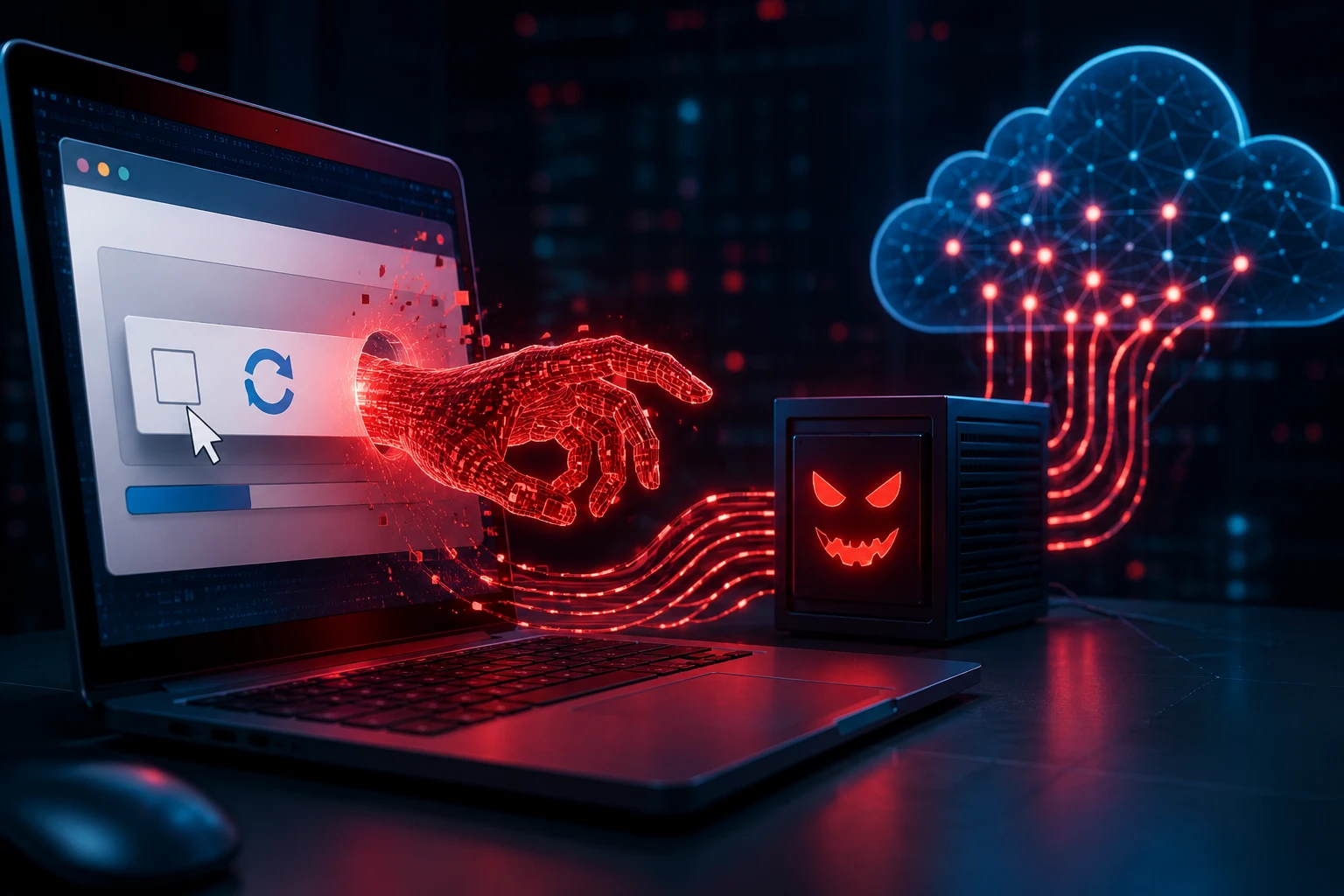
Earlier ClickFix-style campaigns were already dangerous, but the move toward API-driven malware delivery raises the ceiling. In a basic campaign, a malicious page might show the same command to every visitor, making detection and takedown more straightforward once defenders capture it. With API delivery, the page can request a command from a backend service, and that backend can decide what to send based on timing, visitor details, infrastructure needs, or campaign goals. The visible lure may stay nearly identical while the payload logic changes behind the curtain. For defenders, that means screenshots, static page captures, and one-time analysis may not reveal the full shape of the operation.
This is where the campaign starts to resemble modern software behavior, just with a criminal purpose. Attackers can use backend logic to rotate domains, alter command structures, test new wrappers, and make repeated visits produce different artifacts. They can also separate the social engineering layer from the delivery layer, which makes the operation more modular and resilient. If one payload gets flagged, the backend can adjust without rebuilding the whole front-end lure. That kind of setup gives digital crime groups something security teams already understand from legitimate cloud platforms: scale, automation, and rapid iteration.
How the Attack Works Without Looking Like Malware
At the user level, the experience is almost embarrassingly simple, which is why it works. A page tells the visitor that something needs to be fixed, verified, or unlocked, then provides steps that may involve opening a Windows dialog, terminal, or command interface. The command is often copied to the clipboard automatically or presented in a way that makes copying feel like part of the process. Once the user pastes and runs it, the machine may download a script, pull a payload, execute a loader, or contact attacker-controlled infrastructure. The browser did not directly install malware, so some familiar security assumptions get bypassed before the user realizes anything is wrong.
The genius of the trick is that it abuses trust in instructions rather than trust in files. Most users know a random executable can be risky, but fewer people are trained to treat a pasted command as a loaded weapon. In many organizations, employees routinely follow IT guides that include command-line snippets, registry fixes, package commands, or troubleshooting steps. ClickFix borrows that cultural pattern and turns it into an attack surface. The result is a campaign that feels less like a pop-up scam from the past and more like a fake support workflow built for the modern workplace.
From Fake CAPTCHA to Full Malware Pipeline
ClickFix became widely recognizable through fake verification pages, especially pages styled like CAPTCHA checks or browser security prompts. That visual style matters because users already expect the web to interrupt them with puzzles, consent banners, login gates, and anti-bot screens. A fake verification page does not need to be perfect; it only needs to appear normal long enough for the victim to follow the next instruction. Once the user runs the command, the campaign can move into loader territory, where stealers, remote access tools, or ransomware-linked components may enter the chain. In other words, the visible “fix” is only the front desk for a much larger malware pipeline.
That pipeline is also becoming more creative. Some campaigns rely on PowerShell, while others experiment with script hosts, archives, browser update lures, or trusted-looking services that help disguise the traffic. The goal is not only to infect the machine but to make the early stage look boring enough to survive inspection. Once a loader lands, it can profile the system, check for security tools, establish persistence, and pull the next stage when the environment looks useful. This is why ClickFix malware belongs not only in the Malware conversation, but also in broader debates about enterprise resilience and user-centered defense.
Why Gen Z Workers and Hybrid Teams Are Prime Targets
The Gen Z angle is not about blaming younger users; it is about understanding the environment where this attack feels believable. Younger workers often move fast across SaaS platforms, collaboration tools, developer dashboards, creator suites, AI apps, and browser-based workflows. They are used to self-solving tech friction, searching quick fixes, and following short instruction chains without waiting for formal IT support. That mindset is useful in modern work, but it also gives ClickFix an opening because the lure pretends to be a quick fix instead of a threat. When the fake prompt says the user can solve the problem in three steps, it plays directly into the culture of instant troubleshooting.
Hybrid work makes the issue bigger because the security perimeter is already stretched across homes, coworking spaces, personal networks, unmanaged browsers, and cloud apps. An employee might hit a compromised site while researching a work topic, downloading a document, checking travel details, or opening a shared link from a chat thread. The prompt appears during a normal workflow, not during something obviously dangerous. If the device has access to company email, cloud storage, developer tools, or admin portals, the impact can jump from one laptop to a broader business incident. That is why enterprise security teams cannot treat ClickFix as a small consumer scam.
The Detection Problem for Security Teams
Detecting ClickFix malware is difficult because the first malicious action may look like user behavior. The command is not always downloaded through the browser in the traditional sense, and the page may not host a static malicious file for scanners to grab. If an API supplies a fresh command or wrapper on demand, indicators can become unstable quickly. Security tools may catch the later stages, but by then the attack has already crossed from social engineering into execution. That timing gap is where attackers hope to live long enough to steal credentials, deploy additional tooling, or sell access.
Endpoint detection can still help, but it needs the right behavioral lens. Defenders should care when a browser session leads to a sudden command shell, script interpreter, encoded command, remote download, or unusual process chain. They should also watch for commands launched from user-driven dialogs shortly after visiting pages that claim verification or troubleshooting steps. The challenge is separating legitimate admin work from suspicious user-initiated execution, especially in developer-heavy environments where command-line activity is normal. This is why context, sequence, and user education have to work together instead of living in separate security silos.
API-Based Malware Delivery Mirrors Legit Software
One reason the new ClickFix model feels so modern is that it borrows the logic of legitimate software delivery. Real applications use APIs to personalize content, route traffic, test variants, distribute updates, and respond to different environments. Malicious operators can use the same design pattern to decide which command a visitor sees, whether a payload should be delivered, and how aggressively the page should behave. That creates a campaign with moving parts rather than a single static artifact. For defenders, the mindset must shift from “find the bad file” to “understand the bad service.”
This shift also affects takedowns and incident response. Removing one malicious script from a compromised page may not be enough if the backend infrastructure keeps serving new instructions through other entry points. Blocking a single hash may not matter if the wrapper changes constantly. Even blocking a domain may become a temporary fix if traffic distribution systems or rotating infrastructure keep sending victims elsewhere. The campaign becomes a networked operation, and that means security teams need visibility across DNS, web traffic, endpoint activity, identity logs, and user reports. ClickFix is simple at the surface, but its delivery model is starting to look like a professionalized criminal stack.
What This Means for Data Security
The biggest business risk is not just the malware itself, but what it can unlock after the first command runs. Many ClickFix-related campaigns are tied to information stealers, which can harvest browser passwords, cookies, tokens, wallet data, session details, and application credentials. A stolen session cookie can be more dangerous than a stolen password because it may let attackers bypass parts of the login flow. If the infected user has access to customer data, cloud consoles, source code, finance tools, or privileged dashboards, the breach can quickly move beyond one endpoint. That is why data security teams should treat ClickFix as an identity and access problem as much as a malware problem.
The incident path can be painfully quiet. A user runs a command, a stealer grabs browser data, the attacker reuses credentials later, and the organization may not connect the dots until suspicious logins appear from unfamiliar locations. In some cases, the stolen access can become an entry point for business email compromise, cloud data theft, developer environment abuse, or ransomware staging. The original fake CAPTCHA may disappear long before investigators begin the timeline. That delayed visibility is exactly why prevention, telemetry, and fast reporting channels matter. When users know that reporting a weird prompt will not get them blamed, defenders get a much better chance to act early.
Practical Defenses That Actually Fit Real Work
The first practical defense is simple but powerful: teach users that real CAPTCHA pages never ask them to open a command prompt, Windows Run box, terminal, or PowerShell. That message should be repeated in plain language, not buried in a 60-slide annual training deck. Employees need a short rule they can remember under pressure: if a website tells you to paste a command, stop and report it. Security teams should turn that rule into posters, onboarding notes, Slack reminders, and simulated examples that look like current lures. The goal is not fear; it is pattern recognition.
The second defense is controlling script execution where possible. Organizations can reduce risk with application control, PowerShell logging, constrained language mode where appropriate, script block monitoring, and policies that limit unnecessary command-line execution for standard users. Browser isolation, safe browsing controls, DNS filtering, and web reputation tools can also reduce exposure to compromised pages and traffic distribution infrastructure. Endpoint tools should flag suspicious parent-child process chains, especially browser-to-shell-to-script behavior that appears immediately after a verification page. These controls will not stop every ClickFix attempt, but they make the attacker work harder and give defenders more signals to investigate.
How Security Teams Should Update Their Playbooks
Incident response playbooks should add a specific ClickFix scenario instead of treating it as generic phishing. The intake questions should ask whether the user saw a fake verification page, copied a command, opened a system dialog, or followed instructions that involved a terminal. Analysts should collect browser history, clipboard-related context when available, command history, process trees, downloaded artifacts, and any network connections that followed the execution. Identity teams should rotate exposed credentials, revoke sessions, review recent logins, and check whether tokens or cookies may have been stolen. The endpoint cleanup is only one part of the response; the identity cleanup may be the part that prevents the second breach.
Threat hunting should also evolve around behavior instead of only indicators. Hunt for encoded commands, suspicious downloads launched from user directories, unexpected script interpreters, and odd process chains triggered by browsers. Look for repeated access to pages using verification-themed language, especially when followed by terminal activity. Check whether multiple users visited the same compromised site or reported similar prompts around the same time. In larger environments, these patterns can reveal a campaign before the payload family is fully labeled. That kind of hunting is especially important when API-driven malware delivery keeps changing the visible artifacts.
The Bigger Trend: Social Engineering Is Becoming Infrastructure
ClickFix shows where social engineering is headed. The old idea of social engineering as a one-off trick is too small for what modern attackers are building. Today’s campaigns can combine compromised legitimate websites, fake verification flows, backend APIs, payload rotation, traffic filtering, and malware-as-a-service partnerships. The human lure is still the front-facing part, but behind it sits an industrial delivery machine. That is why cybersecurity coverage has to treat social engineering as infrastructure, not just psychology.
This trend also overlaps with AI-driven workflows and automation. As users and companies become more comfortable letting tools complete tasks, summarize pages, browse websites, and execute actions, attackers will keep looking for ways to manipulate the decision layer. The same social cues that trick humans can influence poorly supervised automation if the system is allowed to follow instructions from untrusted web pages. ClickFix is a warning sign because it proves that attackers do not always need a zero-day when they can weaponize obedience. The next phase of defense will need to protect not only what users click, but what users and agents are persuaded to do.
Why This Story Matters Beyond Windows
ClickFix is often discussed through a Windows lens because many campaigns rely on Windows-specific commands and user habits. But the larger concept is platform-agnostic: trick the user into running something dangerous under the belief that it solves a problem. Attackers can adapt that idea to macOS, Linux, browser-based developer environments, cloud consoles, and remote work tools. The command changes, the interface changes, and the payload changes, but the emotional pattern stays the same. If the user believes the action is necessary, the operating system becomes only the stage, not the root issue.
This matters for developers and technical teams in particular. Developers are already comfortable pasting commands from documentation, package managers, forums, AI assistants, and internal runbooks. That does not mean developers are careless; it means their work requires a level of command-line trust that attackers can imitate. A fake dependency fix, fake build error, fake package update, or fake authentication repair could become the developer version of a fake CAPTCHA. Security programs need to respect that reality and build safer workflows instead of simply telling technical users to stop using the terminal.
What Users Should Do When They See a ClickFix Prompt
If a page asks you to press keyboard shortcuts, open a command window, paste a command, or run a script to prove you are human, the safest move is to stop immediately. Close the tab, do not paste anything, and avoid trying to “test” the command out of curiosity. If this happens on a work device, report the page to IT or security with the URL, a screenshot if safe, and the time it happened. If you already ran the command, disconnect from the network if your organization recommends it and contact support right away. Fast reporting can make the difference between a contained infection and a wider account compromise.
For personal devices, the same rule applies with a few extra steps. Change important passwords from a clean device, enable multifactor authentication where possible, review recent account activity, and run a trusted security scan. Pay special attention to email, banking, cloud storage, social media, gaming accounts, and crypto wallets because stealers often target stored sessions and credentials. Avoid logging back into sensitive accounts from the potentially infected machine until it has been checked. The key is to assume the command may have exposed more than the visible browser session.
The Bottom Line on ClickFix Malware
ClickFix malware is dangerous because it feels small, quick, and believable at the exact moment it matters. The API delivery model makes it more slippery by letting attackers rotate payloads, disguise commands, and separate the lure from the malware logic behind it. For businesses, the risk touches malware defense, cloud access, identity security, employee awareness, and incident response all at once. For users, the rule is simple enough to remember: no legitimate website should ask you to paste a command into your system to prove you are human. In the new era of API-driven malware delivery, the most important security control may be knowing when the “fix” is actually the attack.